
Microsoft 365
Move mail and files, manage access, and make devices easier to run.
Architecture and technical governance for Microsoft 365 migrations, identity and access changes, and infrastructure projects.
Scoped work, finished, validated, and handed over.
Tell us what needs to change, the deadline, and what must keep working. The initial conversation is free.
Illustrative architecture · no client data
From completed Upwork contracts
Intune application deployment
“Alwatheq went above and beyond in supporting me”
Email migration
“…was great working directly with customers”
Azure permissions & cost visibility
“Will definitely hire again when needed.”
Selected excerpts from feedback on Alwatheq’s individual freelance work. Project labels are shortened. Full reviews are available on his Upwork profile.
Services
Choose the work you need. Each project has an agreed scope, acceptance checks and a handover to your team.
Move mail and files, manage access, and make devices easier to run.
Choose where applications run, how they connect and how they recover.
Connect the request, the people and the systems that need to act on it.
Architecture & delivery · one accountable technical lead
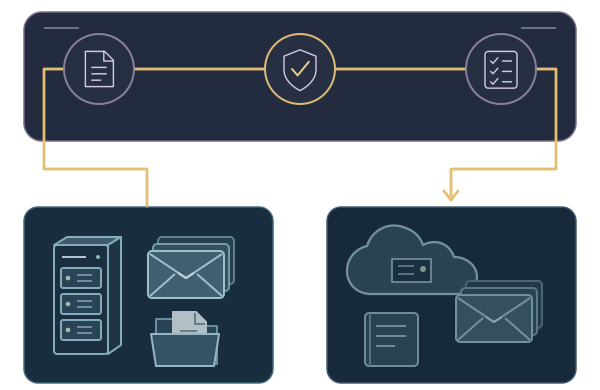
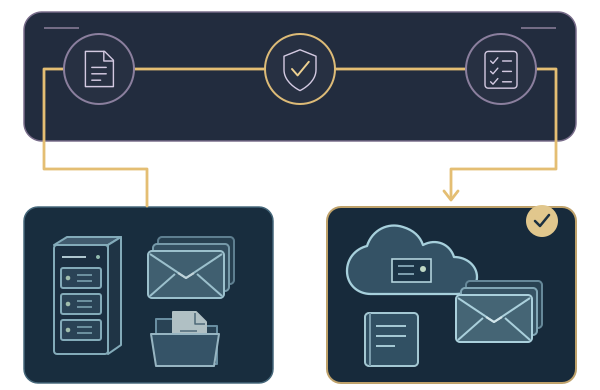
Move Microsoft 365, separate or combine tenants, and update access without overlooking the services your team relies on.

Your team keeps the system design, test results, open issues and operating instructions. We call this the Operating Record; it names who owns each part.
Illustrative architecture · the project scope is agreed for your environment.
Decide where applications should run, how they recover after a failure, and who will manage them.

Your team keeps the design choices, capacity estimates, recovery test results and named responsibilities in an infrastructure Operating Record.
Illustrative architecture · the design depends on what you need to run.
QUALIFIED CAPABILITY
Feasibility and architecture before procurement
Microsoft decision points
Identify the applications that still send mail through the server, how accounts are managed and where archives will go before switching it off.
See the relevant Microsoft projectPlan which accounts, domains, email, applications and files will move, and how people will work during the move.
See the relevant Microsoft projectReview who holds administrator rights, what your provider can access, how temporary privileges are approved and how your team regains access in an emergency.
See the relevant Microsoft projectEstablish whether Active Directory or Entra manages each account and attribute, then document synchronization, sign-in and recovery responsibilities.
See the relevant Microsoft projectBefore moving email or files, map who can access them, how long they must be kept and which records are on hold.
See the relevant Microsoft projectReview the available sign-in, email, device and audit logs. Build a timeline that distinguishes verified events from gaps and assumptions.
See the relevant Microsoft projectDefine how devices enroll, receive applications and updates, meet access rules and recover after a problem, with clear support responsibilities.
See the relevant Microsoft projectReview sensitive files, sharing and access, then agree a small pilot and the checks required before wider use.
See the relevant Microsoft projectIllustrative architecture. Select a situation to see what needs to be checked and which project could help.
Selected work · Migration recovery
A SharePoint migration required investigation of file differences, sync behavior and long project paths. The delivery record documents troubleshooting and checks between the original files and the destination.
The handover includes comparison scripts, validation reports and recorded exceptions. The record shows what was checked and what those checks could establish.
Read the recovery recordAnonymized delivered engagement
A traceable record of checks, differences and next actions.
Migration as-built, issue records, reconciliation scripts and validation reports. Client names, file paths and identifying data are withheld.
Reconstructed presentation of documented work. Identifying details withheld. Recorded exceptions remain part of the evidence.
Tenant control
The decision to leave a provider needs a defined target, continuity checks and agreed ownership. This example shows how to scope those decisions; it does not report a measured client outcome.
Explore the representative exampleYour team keeps the design, migration checks, remaining issues and operating instructions, with a named owner for each responsibility.

Illustrative architecture. The record pattern is not a client document.
Your project has a named technical lead from scoping through handover. Alwatheq brings hands-on Microsoft 365, Azure, identity and endpoint experience from client and MSP environments.
Before work begins, you receive the scope, fee, delivery windows and acceptance checks in writing. Any specialist collaborator and post-handover support are agreed as part of that scope.
About AZ InnovationsFrom first conversation to handover
Describe the problem. We identify the scope questions and any dependencies to review.
Scope, fee, access, change windows and completion checks are written down before work starts.
Changes follow the agreed pilot or cutover plan. Test results and exceptions are recorded.
Your named owner receives the runbook, results and agreed support arrangements.
Before you commit
Start with the problem and the result you need. The initial fit conversation is free and does not require access to your systems.
Check client feedback on Upwork ↗Prefer to contract through Upwork? Contact Alwatheq there. Existing Upwork engagements continue through Upwork.
Alwatheq Zboun leads the scope, technical work and handover. If a specialist collaborator is needed, their role is agreed with you before work starts. Your proposal names the responsibilities and delivery windows.
We agree the scope, fee and completion checks in writing. Access uses named accounts and only the permissions the work requires. Approved access is reviewed and removed at handover.
Your scope defines the pilot, test cases and acceptance checks. Results and exceptions are recorded. Recovery options and their limits are agreed before production changes; a failed check is addressed before the next approved stage.
A defined project can end at handover. Your team receives the agreed configuration records, runbook and walkthrough. Any limited support period is written into the proposal; ongoing support or additional work is a separate agreement.
Before the next commitment
Tell us which systems are involved, your deadline and what must keep working. We discuss whether we can help and what the project would include.
Choose Microsoft, infrastructure or partner work in the form. If you are unsure, describe the problem.